New Client Information
We are excited for the opportunity to serve you and want to provide you with an excellent experience right from the start. To make scheduling an appointment easy and accessible at any time and any place, our website is available 24 hours a day, 7 days a week and is designed for use with any device.
It is very important to complete the entire process to ensure that your desired massage time is held for you. Upon completion, you will see a “Booking Complete!” message and an email will immediately be sent to confirm your appointment.
How booking works
The following steps are what you will experience as part of the booking process.
- Step 1
Click on any “Book a Massage” or “Book Now” button on the website.

- Step 2
Click on Bodywork Services to see options.
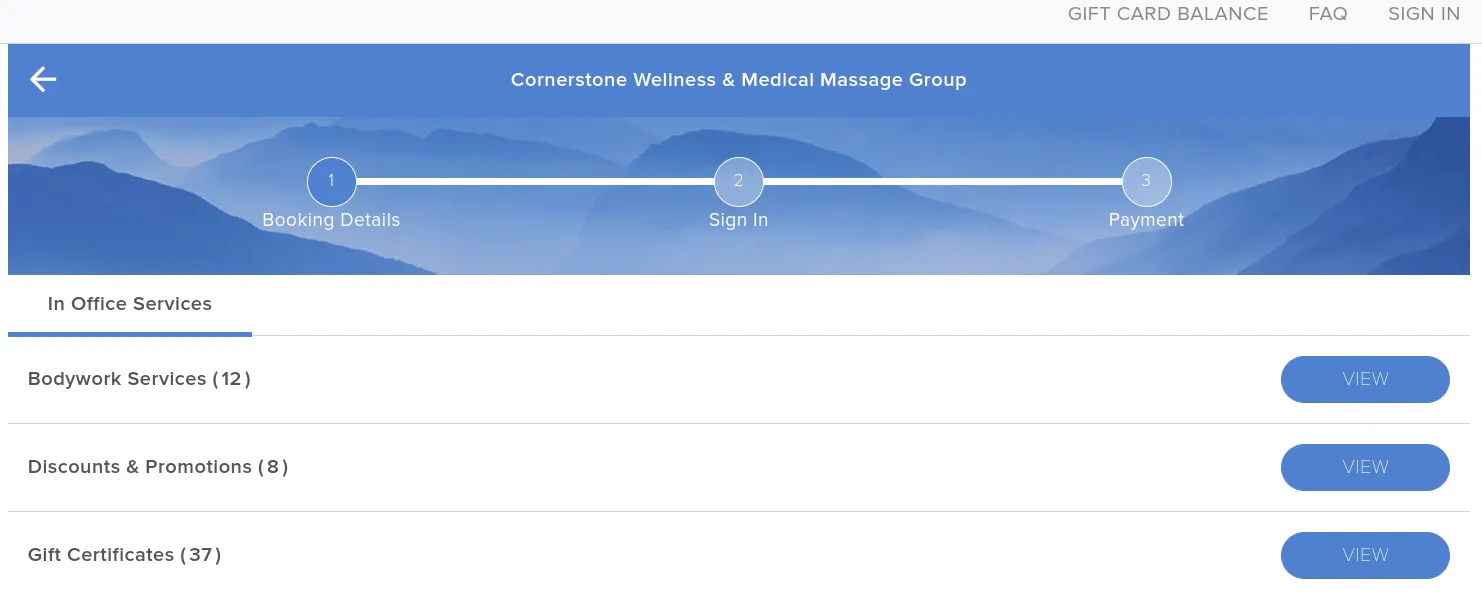
- Step 3
Choose the type of massage/treatment that you are interested in.
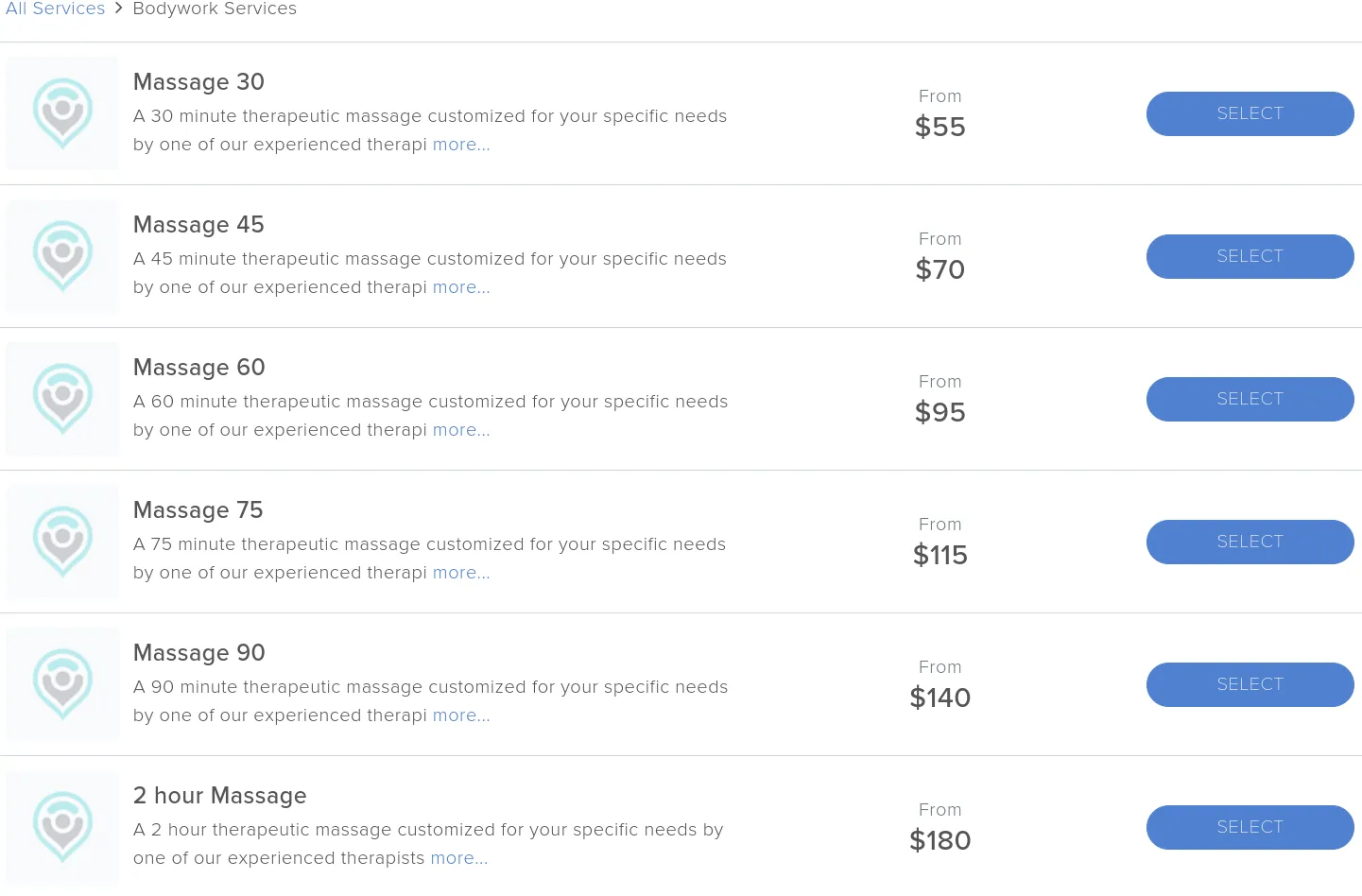
- Step 4
Select the therapist you would like to see (if you aren’t sure, learn more about Our Team). Also choose the date and time that works best for you. When ready, click on the Next button.
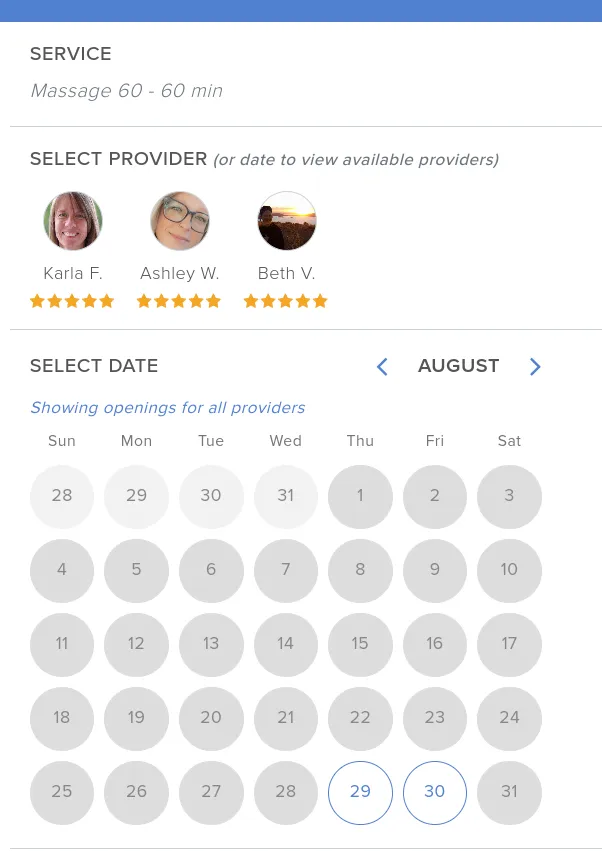
- Step 5
Enter your email address and click on Continue.
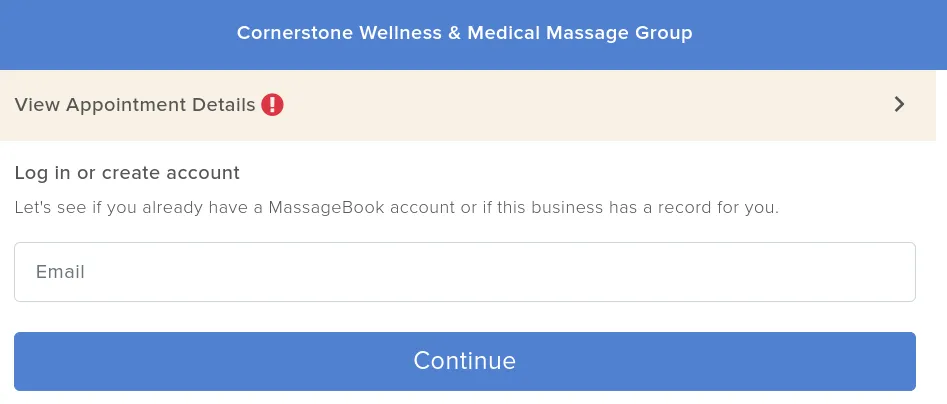
- Step 6
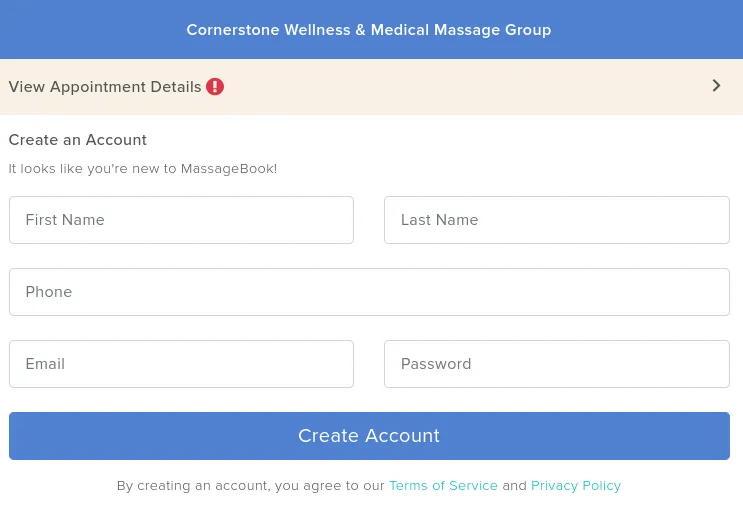
As a new client, you will be asked to provide additional information and to create a MassageBook account password. Please remember the email address and password you selected as it gives you the ability to cancel or change your appointment and it will be used when you book future appointments.
- Step 7
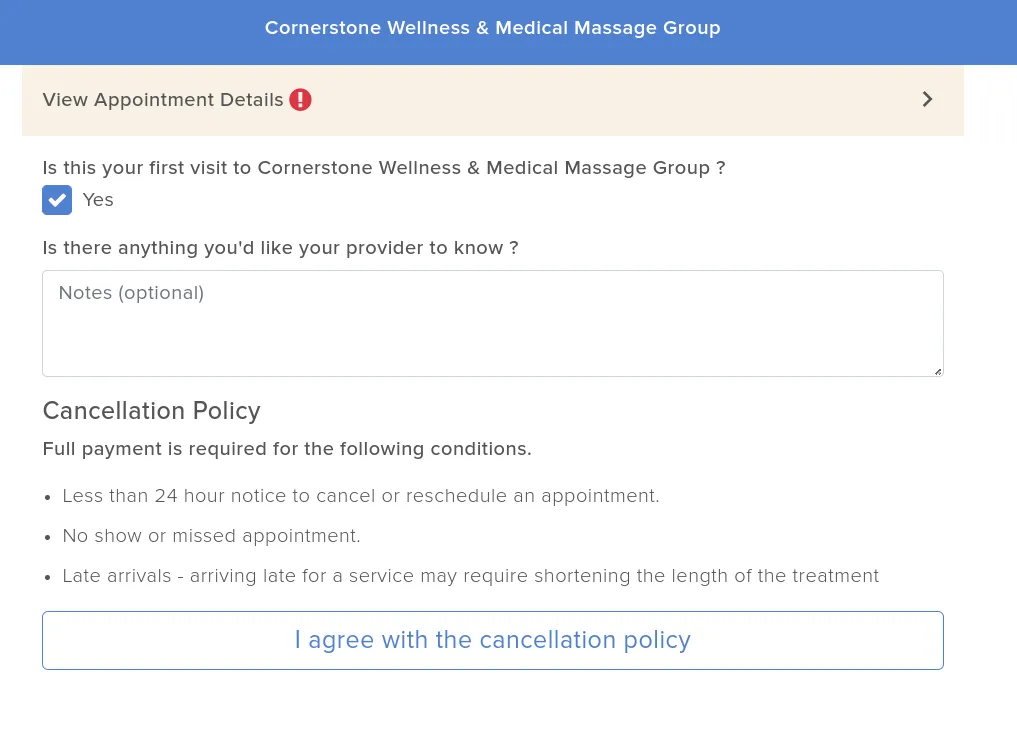
Add any specific requests or important information that you’d like your therapist to be aware of. Read and agree with the Cancellation Policy. Click Next.
- Step 8
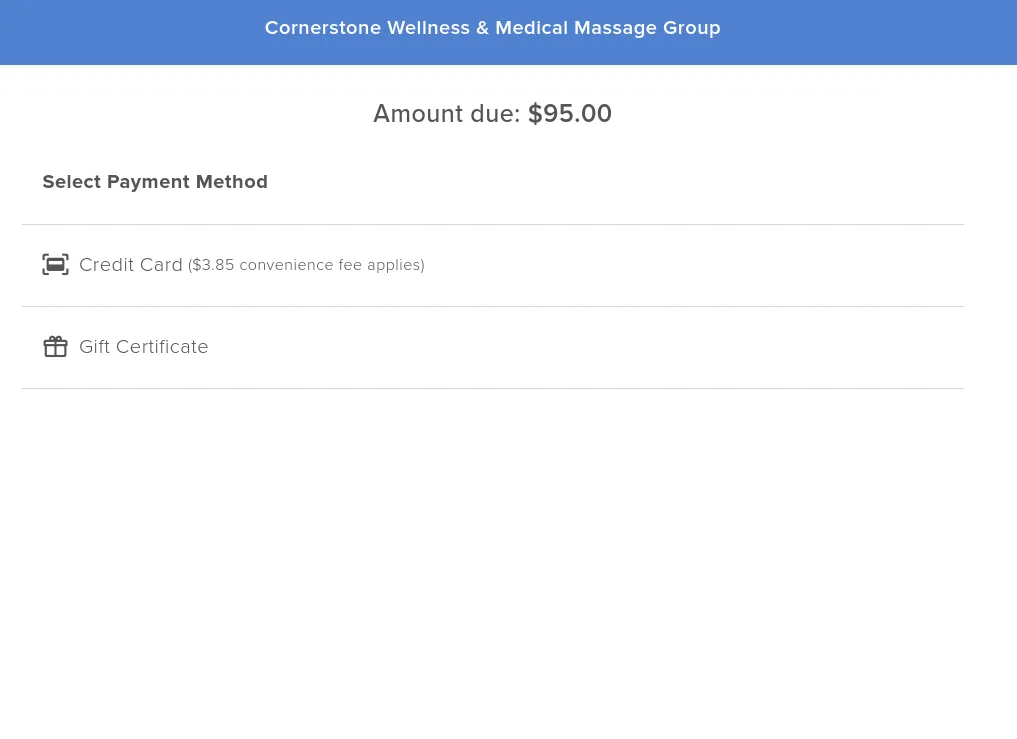
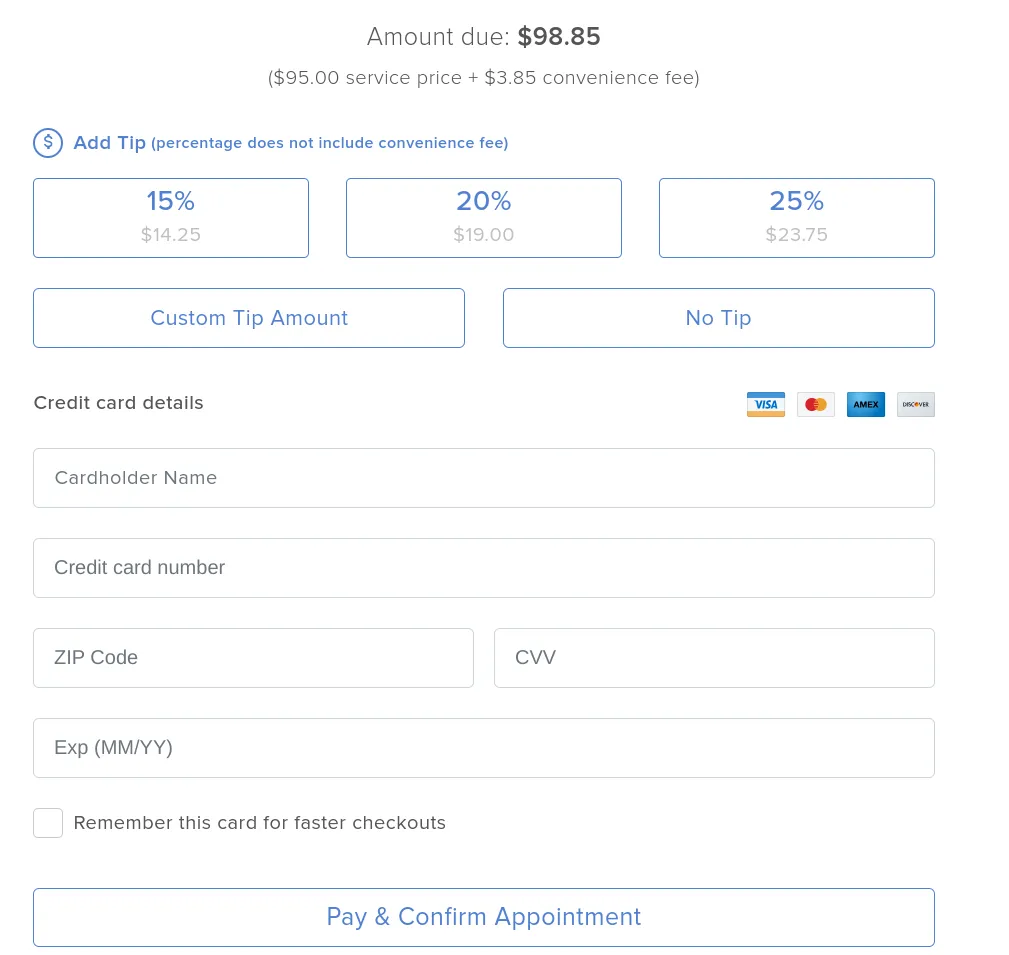
Select the payment option that you would like to use. All done! You should see a Booking Complete screen and you should also receive an email confirmation.
You are now ready to schedule a massage!
Go ahead and click Book Now to get started.